
Choosing Between LCD, LED, and Mosaic for Your Video Wall
LCD, LED, and Mosaic are the three ways to build a video wall, and they fail in different places. LCD tiles commercial panels behind a thin bezel and delivers the most pixels per dollar at close range. LED builds the picture out of individual diodes on modular cabinets, so nothing breaks the surface and the wall can be any size, at a price that climbs steeply as the pixel pitch gets finer. Mosaic drives an arrangement of standard commercial displays as one surface, which is what you reach for when the wall is not a rectangle.
Walk into a hospital atrium and look at the wall above the reception desk. If the nearest viewer stands forty feet back and the wall runs a 1.2mm LED, somebody paid for resolution the room will never show. Reverse the mistake, hang a 4mm LED behind a retail counter, and every customer at the till is looking at a grid of dots. Picking the wrong technology costs money in one direction and credibility in the other.
Key takeaways
- Viewing distance decides the technology before budget does. Measure where the nearest regular viewer stands, then work backwards.
- For LED, multiply the pixel pitch in millimetres by about 3.4 to get the distance in metres at which the eye stops resolving individual pixels.
- LCD gives the highest pixel density per dollar and pays for it with a visible bezel grid. LED removes the grid and charges for it.
- Mosaic suits walls that are not rectangles: displays at angles, in L shapes, in stair steps, or spaced with deliberate gaps.
- Service access is a building decision, not a warranty decision. Front service and rear service LED need different wall depths, and you choose before the wall goes up.
Why the technology choice matters
Not every video wall should use the same technology. The panel type settles four things at once: how close people can stand before the image falls apart, whether they see a grid across the picture, how a technician reaches a failed component, and what the whole surface costs per square metre.
Those four decisions lock in on the day you sign the order. Content can be rewritten, brightness can be tuned, and a schedule can be rebuilt in an afternoon. A wall specified for the wrong viewing distance stays wrong for its whole service life.
The market has moved in one direction over the past few years. LED pixel pitches keep getting finer as manufacturing costs fall. TrendForce expects P1.2 Mini LED to be the mainstream product in 2026, at more than half the LED video wall market, and suppliers are now promoting 4K panels at P0.9 for high end commercial work. That shift widens the range of rooms LED can serve. It does not make LED the right answer for a wall behind a counter.
What each technology actually is
The three names get used loosely, and the differences between them are structural rather than cosmetic.
LCD video walls
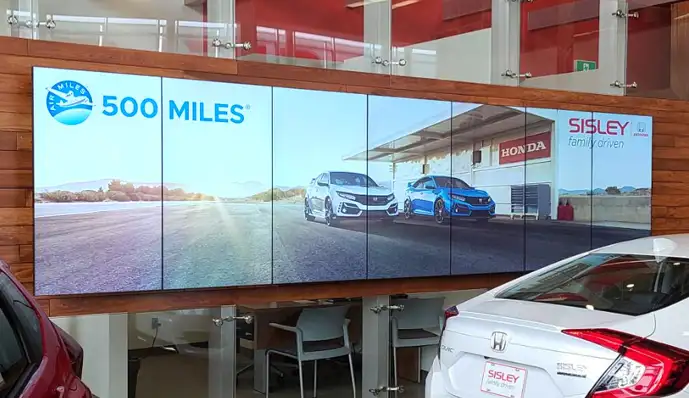
An LCD video wall is a grid of commercial LCD panels mounted edge to edge, each with its own backlight and its own controller. Every panel carries a full 1080p or 4K image at 46 or 55 inches, so pixel density at close range is very high and very cheap by comparison with LED.
The tradeoff is the bezel. Where two panels meet there is a physical border, and narrow bezel panels have driven that border down to 3.5mm on standard models and 0.8mm on the finest ones. At three metres a 0.8mm seam disappears. At half a metre it does not, and no LCD wall will ever be a single unbroken surface.
LED video walls
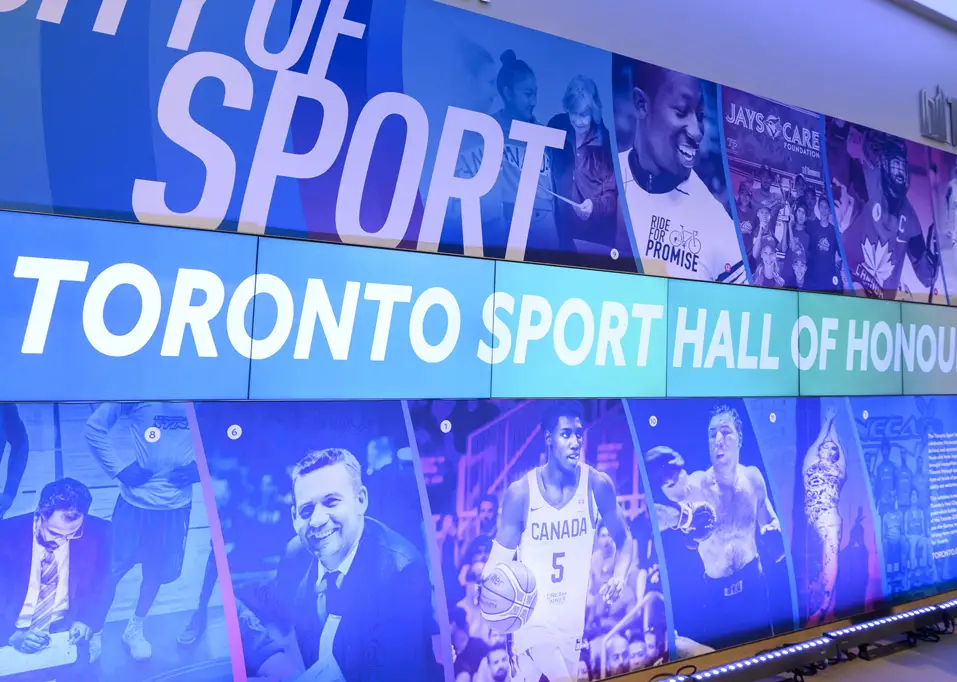
An LED video wall has no panels in the LCD sense. Individual light emitting diodes sit on modular cabinets, and each diode cluster is a pixel. Cabinets butt together with nothing between them, so the picture runs across the whole surface without interruption, and the wall can be built to any size or shape the structure allows, curves and inside corners included.
Brightness is the second advantage. Indoor LED typically runs between 600 and 1,500 nit against 500 to 700 nit for LCD, and purpose built outdoor series go well past 5,000 nit for direct sun. The cost sits in the pixel pitch: the distance in millimetres between the centres of adjacent pixels. Halving the pitch roughly quadruples the number of diodes in the same area, and the price follows.
Mosaic video walls
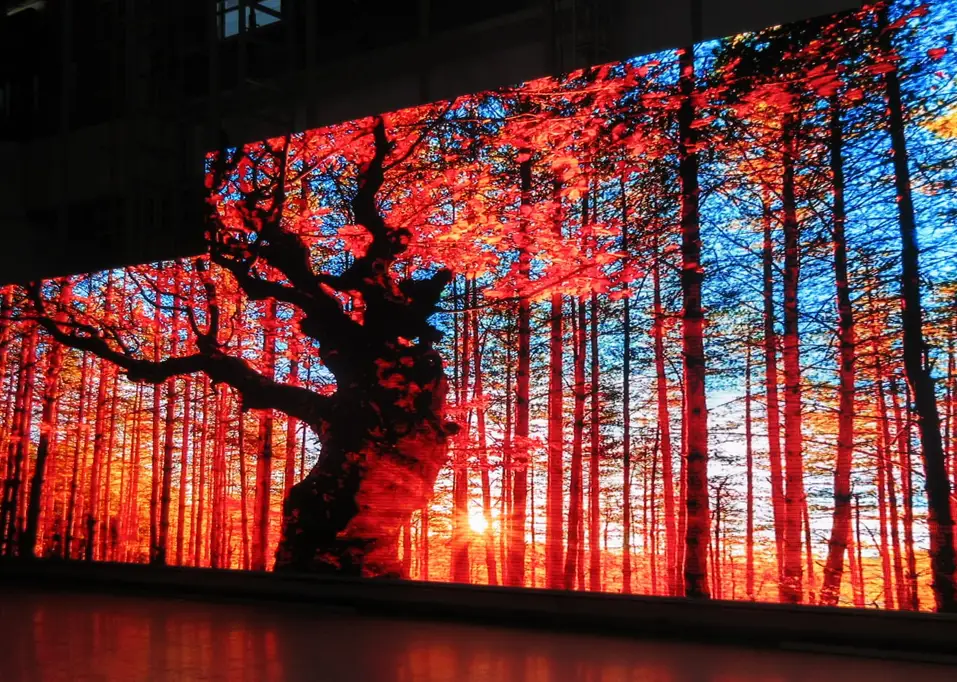
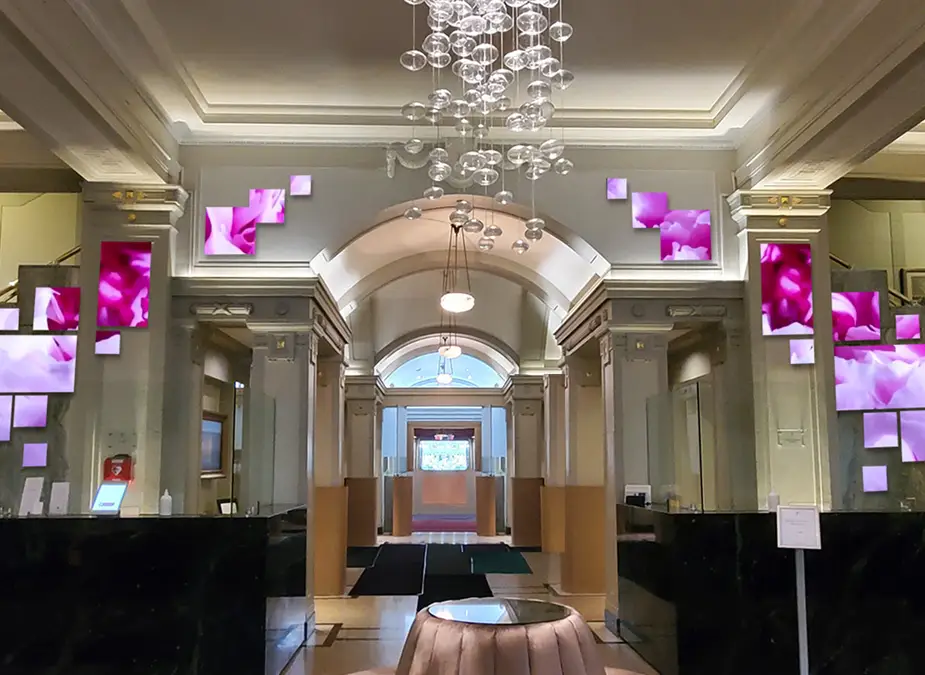
A Mosaic video wall takes standard commercial displays and drives them as one coordinated surface in software, rather than forcing them into a tight grid. Displays can sit at angles, in an L shape, in a stair step, in mixed portrait and landscape, or spaced apart with intentional gaps, and the content system maps a single high resolution source across all of them.
This is the option for architecture that refuses to cooperate: a column, an angled feature wall, a stairwell, an atrium where the interesting surface is not a rectangle. It uses hardware you can buy anywhere, so cost per screen stays low, and it accepts source resolutions up to 8K by 8K distributed across any number of displays.
Pixel pitch and viewing distance
One number does most of the work on an LED specification. Pixel pitch is the gap in millimetres between the centres of neighbouring pixels, and it sets the closest point at which a viewer stops seeing dots and starts seeing an image.
The industry rule of thumb comes from visual acuity. A person with normal eyesight resolves detail down to about one minute of arc, which works out to roughly 3.4 metres of distance for every millimetre of pitch. A 2.5mm wall reads cleanly from about 8.6 metres. A 1.5mm wall holds up from about 5.2 metres.
Where each pixel pitch becomes invisible
The distance at which a viewer with normal eyesight can no longer resolve individual pixels.
- 0.9mmfine pitch
- 1.5mmfine pitch
- 1.9mmindoor
- 2.5mmindoor
- 3.9mmlarge format
- 6.0mmoutdoor
Treat those distances as a ceiling on ambition rather than a hard boundary. Plenty of walls sit closer than the number suggests and still look right, because full motion video and large type hide pixel structure that a spreadsheet or a floor plan would expose. A control room showing dense text needs to respect the figure. A lobby running brand video can push past it.
Measure the distance to the nearest regular viewer, not the average one. The person standing closest decides whether the wall looks expensive or cheap.
How the three compare
Across the decisions that actually come up in a specification meeting.
| LCD | LED | Mosaic | |
|---|---|---|---|
| Picture surface | Tiled commercial LCD panels | Modular cabinets of individual diodes | An arrangement of standard displays |
| Visible joins | 0.8mm to 3.5mm bezel grid | None between cabinets | Full display bezels, managed in software |
| Pixel density | Fixed by panel, 1080p or 4K per tile | Set by pitch, typically 0.9mm to 10mm | Fixed by each display, 8K by 8K source |
| Comfortable viewing | Arm's length and beyond | Governed by pitch, see the scale above | Arm's length and beyond |
| Brightness | 500 to 700 nit | 600 to 1,500 nit indoor, 5,000 nit and up outdoor | Whatever the chosen displays deliver |
| Shape | Rectangular grid only | Any size, curves and corners included | Angles, L shapes, stair steps, gaps |
| Outdoor rated | No | Yes, purpose built outdoor series | No |
| Relative cost | Lowest per square metre at high density | Climbs steeply as pitch gets finer | Lowest overall, uses standard displays |
| Service access | Pull the panel from its mount | Front service or rear service, decided at design | Swap a single display |
Matching technology to use case
Start from the room, not the catalogue.
- Retail storefront or service counter, viewers within a few metres. LCD. Pixel density is high, cost per square metre is low, and a 0.8mm bezel reads as a design line rather than a fault.
- Lobby, atrium, or concourse viewed from across the room. LED. The surface is unbroken at any size, brightness handles glazed spaces, and pitch can be matched to the actual distance instead of paying for more.
- Control room with operators seated at desks. LCD, or fine pitch LED where the budget carries it. Dense text and mapping punish a pitch chosen for video.
- Outdoor facade, stadium, or drive through. LED, outdoor series. Nothing else survives the weather or competes with daylight.
- Curved wall or wrapped column. LED. Cabinets bend to the radius, which flat displays cannot do.
- Angled feature wall, stairwell, donor wall, or gallery installation. Mosaic. Standard displays arranged to suit the architecture, driven as one surface.
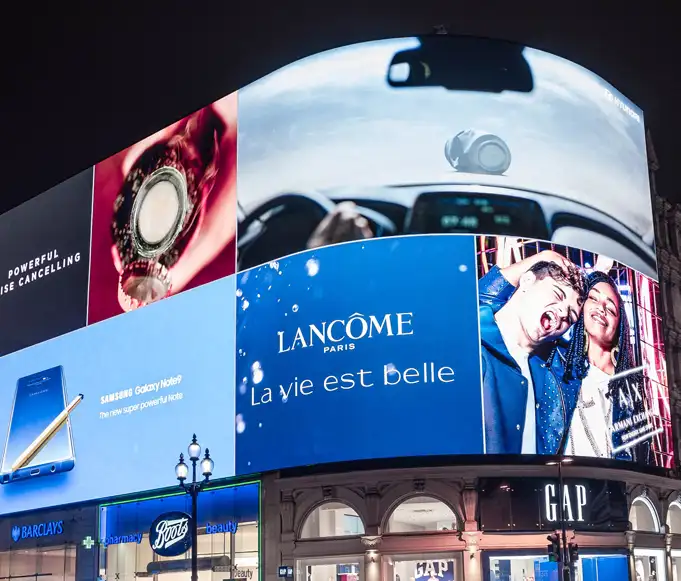
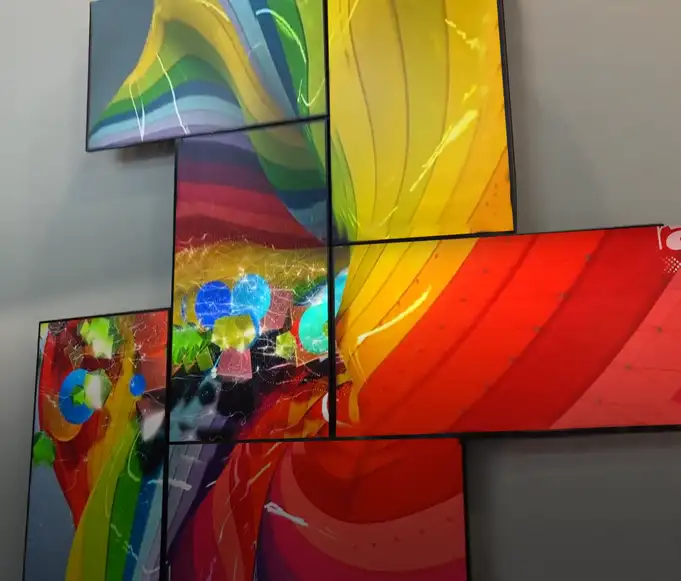
Buildings rarely need one answer. A campus can run LED in the atrium, LCD at the information desk, and a Mosaic donor wall in the connecting corridor, with every surface fed from the same content platform. Mixing technologies is normal. Mixing them without a plan for who updates what is where projects come apart.
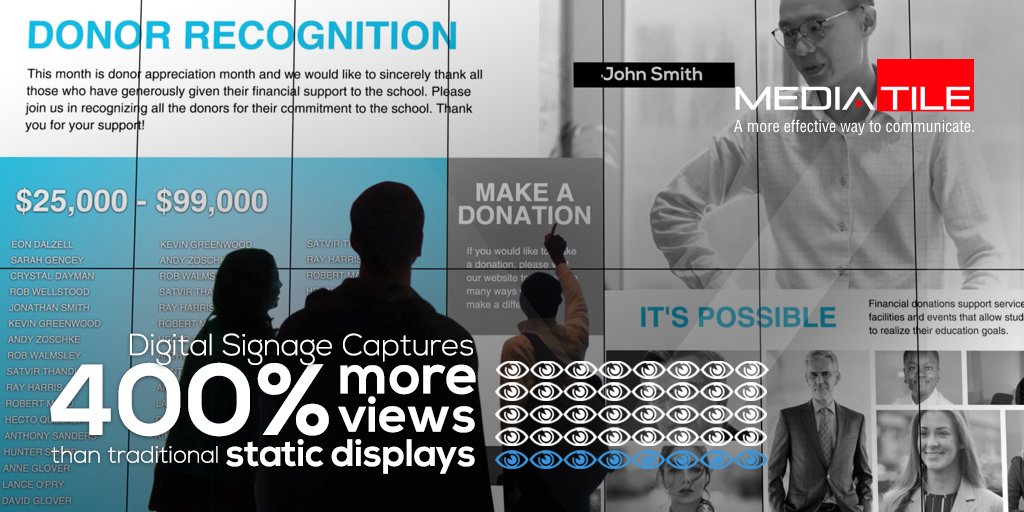
You can see how these decisions play out at full scale in our featured project work, where the room, the viewing distance, and the content brief drove the technology rather than the other way around.
Service access and wall depth
This is the detail that gets settled last and should be settled first. Every video wall eventually needs a component pulled, and how you reach it is a property of the building rather than of the warranty.
Three ways in
Each option asks for different space behind the wall, and the ask is fixed once construction finishes.
Front service LED
Cabinets release from the face of the wall with a magnetic or mechanical tool. No clearance is needed behind, so the wall can sit flush against structure.
Choose when space behind is zero
Rear service LED
Technicians work from behind, which usually costs less per cabinet but requires a service corridor or a standoff of roughly 800mm to 1,000mm.
Choose when the plan allows a walkway
LCD and Mosaic
Panels come forward on a pop out mount, so a single display can be replaced without disturbing its neighbours or the content running on them.
Simplest of the three to service
Settle this during design, alongside power, data, and heat load. Retrofitting rear access into a wall built flush to structure means opening the wall.
Does 4K or 8K matter?
4K is the working baseline for commercial video wall installations. It is what content gets produced in, what media players output comfortably, and what a specification is expected to meet without discussion. 8K turns up mainly in premium projects and in close viewing applications where the surface is large and people stand near it.
The number that matters is the resolution of the finished wall, not of any one component. A 3 by 3 grid of 4K LCD panels adds up to a 12K by 6K canvas, and content built for a single 4K frame gets scaled across it. On LED, wall resolution falls out of the pitch and the physical dimensions, so a 2.5mm wall five metres wide lands at 2,000 pixels across regardless of what the source can produce.
Specify the canvas first and the source second. A wall that outruns the content pipeline feeding it looks worse than a smaller wall running material built to fit.
The right fit beats the highest spec
The best video wall is the one matched to the room, the viewing distance, and the budget. LCD, LED, and Mosaic each solve a different version of that problem.
Three questions settle most specifications. How close does the nearest regular viewer stand? Is the surface a rectangle? How will a technician reach a failed component in year four? Answer those honestly and the technology usually names itself, well before anyone opens a price list.
The wall that impresses on paper and disappoints in the room is almost always the one specified from the catalogue backwards.
Curious Minds Want to Know:
What is the difference between an LCD and an LED video wall?
An LCD video wall tiles commercial LCD panels edge to edge, each with its own backlight, so there is a physical bezel where panels meet, from 3.5mm on standard models down to 0.8mm on the finest. An LED video wall uses individual light emitting diodes as pixels on modular cabinets, so nothing sits between one section and the next. LCD gives more pixels per dollar at close range. LED gives an unbroken surface, higher brightness, and any size or shape you want.
How do I know which pixel pitch I need?
Measure the distance from the wall to the nearest place a viewer regularly stands, then divide that distance in metres by about 3.4 to get the pitch in millimetres that will read cleanly there. A viewer at 8 metres is served by a 2.5mm wall. A viewer at 3 metres wants something near 0.9mm. Content matters too: full motion video tolerates a coarser pitch than dense text or mapping, so a control room should respect the figure while a lobby can push past it.
Which is cheaper, LCD or LED?
LCD, at any pixel density where both technologies compete. An LCD panel arrives with its pixels already made at commodity scale, while an LED wall pays for every diode individually, and halving the pitch roughly quadruples the diode count in the same area. LED wins on cost only where LCD cannot go at all: very large formats, outdoor installations, curves, and surfaces that must show no join. Mosaic is usually the lowest cost of the three because it uses standard commercial displays.
What is a Mosaic video wall?
A Mosaic video wall drives an arrangement of standard commercial displays as one coordinated surface in software, rather than locking them into a tight rectangular grid. Displays can sit at angles, in an L shape, in a stair step, in mixed portrait and landscape, or spaced apart with deliberate gaps, and a single high resolution source is mapped across all of them. It is the option for architecture that is not a rectangle, and it uses hardware you can buy anywhere.
Do I need 4K or 8K for a video wall?
4K is the working baseline for commercial installations, and 8K appears mainly in premium projects or where the surface is large and viewers stand close. The figure that matters is the resolution of the finished wall rather than of one component: a 3 by 3 grid of 4K panels produces a 12K by 6K canvas, while an LED wall's resolution falls out of its pitch and its physical size. Specify the canvas first, then make sure the content pipeline can fill it.
How much space do I need behind an LED video wall?
It depends on the service method, and you choose that at design time. Front service cabinets release from the face of the wall, so the wall can sit flush against structure with no clearance behind. Rear service cabinets usually cost less per cabinet but need a service corridor or a standoff of roughly 800mm to 1,000mm so a technician can work behind the wall. Adding rear access after the wall is built flush means opening the wall, so settle it alongside power and heat load.
Can I use more than one technology in the same building?
Yes, and most large sites do. A campus might run LED in the atrium where viewing distances are long, LCD at the information desk where people stand close, and a Mosaic recognition wall in a corridor the architecture made awkward. The requirement is that every surface reports to the same content platform, so one team schedules, designs, and publishes to all of them. Mixed hardware is normal. Mixed management is what makes signage projects fail.
How long does a video wall last?
Commercial LCD video wall panels are rated for 24 hour continuous operation, with individual panels replaceable as they fail. LED cabinets have a longer useful life on the diode itself but drift in brightness and colour over time, which is why calibration across the wall matters more on LED than on LCD. In both cases the practical limit is usually the content system and the source hardware rather than the display surface.
Video walls with MediaTile
MediaTile builds all three. That matters, because nobody here has a reason to talk you into the technology we happen to stock.
Our team runs the site survey, measures ambient light and the real viewing distances, and specifies the panel type, the pitch, the grid, and the service method against what the room actually does. Installation, commissioning, and support come from the same in house team, so there is no handoff between the people who specified the wall and the people who keep it running.
Every wall we install is managed through MediaTile's cloud platform from any browser or device. One place to design content, schedule it, push emergency messaging, and watch what is playing, whether the surface is a 2 by 2 LCD grid at a service counter or an LED facade above a concourse.
References and further reading
- TrendForce. 2026 Global LED Video Wall Market Outlook and Price Cost Analysis, published September 30, 2025. ledinside.com
- Video Walls. The full MediaTile range across all three technologies.
- LCD Video Walls. Five models, 46 and 55 inch panels, bezels from 3.5mm to 0.8mm.
- LED Video Walls. Indoor fixed, outdoor fixed, and mobile or rental series.
- Mosaic Video Walls. Grid, mixed orientation, and custom architectural configurations.
- Digital Signage Software. The platform every MediaTile wall is managed from.
- Featured Projects. Installations where the room drove the specification.
Not sure which technology your space needs?
Tell us the room, the viewing distance, and what the wall has to show. We will specify the technology, quote the installation, and connect it to MediaTile's cloud platform.