
MediaTile V9
Tile AI
Your AI copilot for digital signage.
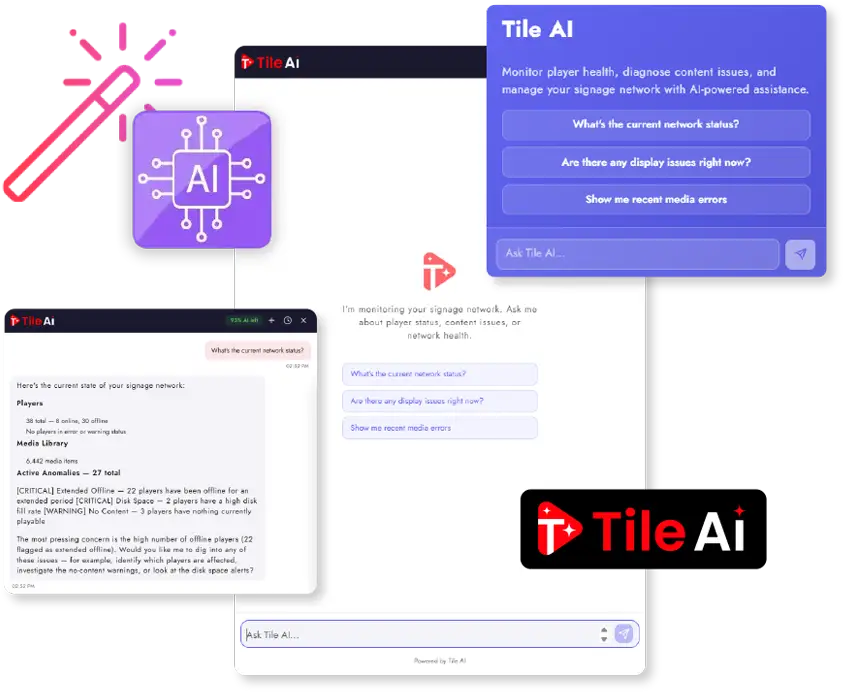
Tile AI is a conversational copilot for your entire signage network. It watches every player, answers questions in plain English, and, with your permission, takes action across your network. Every move is logged under your user account.
Ask
Ask Anything
Skip the dashboards. Ask the questions you would ask a teammate, and get an instant answer:
- "Which players are offline in the Reception zone right now?"
- "What's on the NHL playlist, and which players is it assigned to?"
- "Show me everything that broke in the last 24 hours."
- "Why isn't the holiday promo playing on Display 12?"
- "Find a vertical format video tagged 'corporate' I can drop in as a replacement."
Tile AI reaches into live data across players, playlists, media, schedules, tags, groups, locations, anomalies, recovery status, network health, download errors, and audit history. The data is current, not yesterday's report.
Act
Turn Conversations Into Actions
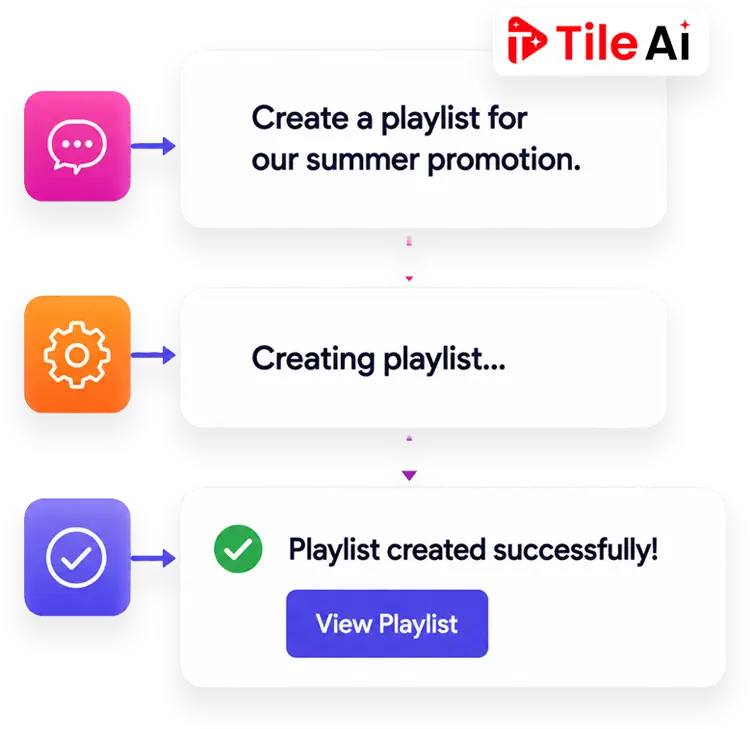
Tile AI is not a read only chatbot. With your permission, it takes real action across your network, and it asks first when something is sensitive or the scope is unclear.
- Create Playlists
- Assign Content
- Schedule Media
- Manage Tags
- Organize Libraries
On players
Assign or remove playlists, send sync and restart commands, trigger specific content on demand, manage group membership, and command entire groups at once.
On content
Create playlists, add or remove media, approve playlists, enable or disable individual media items, retry failed recovery, and clear false positive recovery flags.
On scheduling
Build one off custom schedules like "Mondays 9 to 5 through end of November," attach named schedules to media or playlists, and scope them at the library or playlist level.
On organization
Create and apply tags so future searches stay semantic, and turn any set of search results into a playlist in a single step.
On feedback
Submit a bug report or feature request inline. Tile AI summarizes the conversation for you and routes it to the right place.
On the library
Filter media by age and sort content into folders automatically, so your library stays tidy without manual cleanup.
Alert
AI Network Monitoring
Tile AI runs continuous anomaly triage across every player in your network and surfaces the issues that need attention. Alerts appear in the global header and on your dashboard card, so the first thing you see when you log in is what is worth looking at.
- Disk space
- Version drift
- Content playable status
- Sync errors
- Offline patterns
- Recovery state
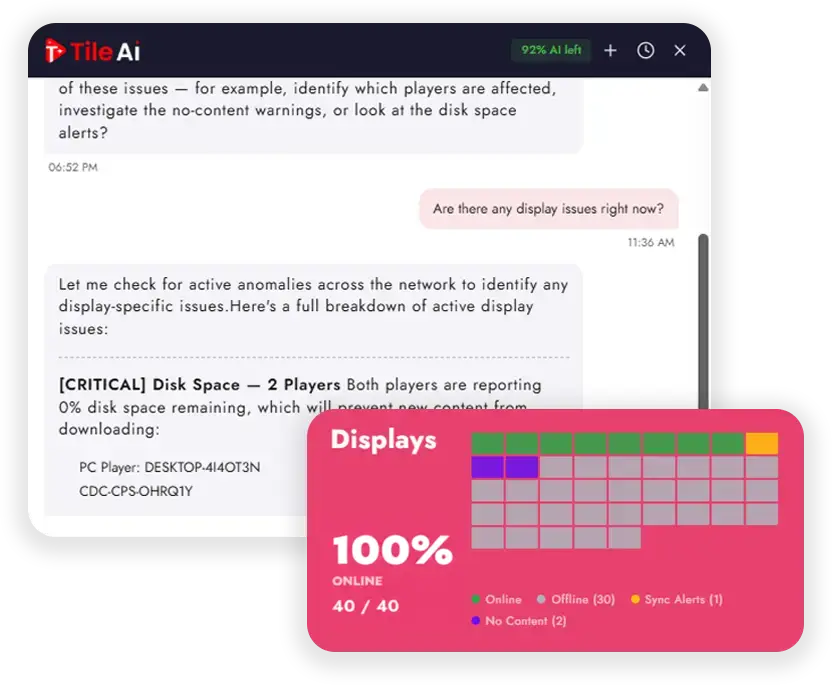
Examples it catches and prioritizes
A player that has not reported playable content in four hours.
A run of download errors at a single location.
A media file failing on multiple devices that auto recovery could not fix.
Players running firmware that lost compatibility with new content.
Media that will never play because of a scheduling conflict, with a seven day view of the real playback windows.
FAQ
Curious Minds Want to Know:
What exactly is Tile AI?
Tile AI is a conversational copilot for your entire signage network. It watches every player, answers your questions in plain English, and, with your permission, takes action across the network. Every move is logged under your user account.
Can it actually change things, or does it only answer questions?
It can do both. With your permission, Tile AI assigns and removes playlists, sends sync and restart commands, creates playlists and schedules, applies tags, and more. Sensitive actions ask for explicit confirmation in chat before they run, and it asks first when the scope is unclear rather than guessing.
How do I know what Tile AI actually did?
Every reply ends with an Action Ledger that shows exactly what happened, captured straight from the tool results rather than narrated by the AI. Completed, skipped, and failed actions all show up plainly, so if something was a duplicate or blocked by a permission, you can see it and fix it on the spot.
Is it safe? What is Tile AI allowed to do?
Every write action is permission gated against the same roles your CMS already enforces, so Tile AI can never do anything the logged in user could not do manually. Every AI driven change is recorded in the audit trail under the human user's account with a "(Tile AI)" label, so compliance teams can tell AI actions apart from manual ones.
How does it help me catch problems early?
Tile AI runs continuous anomaly triage across every player, watching disk space, version drift, content playable status, sync errors, offline patterns, and recovery state. Anything that needs attention surfaces as an alert in the global header and on your dashboard, so issues reach you before they reach your screens.
Where do I find Tile AI, and does it cost extra?
Tile AI lives in the global header from anywhere in the CMS, in a slide out side panel for full chat without leaving your page, and on a dashboard card for quick actions. It remembers your chat history for reference. Usage counts against your AI allowance, or your own API key if you prefer to bring your own.
Ready to put AI to work on your screens?
See how Tile AI transforms the way you manage digital signage. Get started or explore everything MediaTile V9 has to offer.