
Signage Software
Player Management. Managing Your Digital Signs
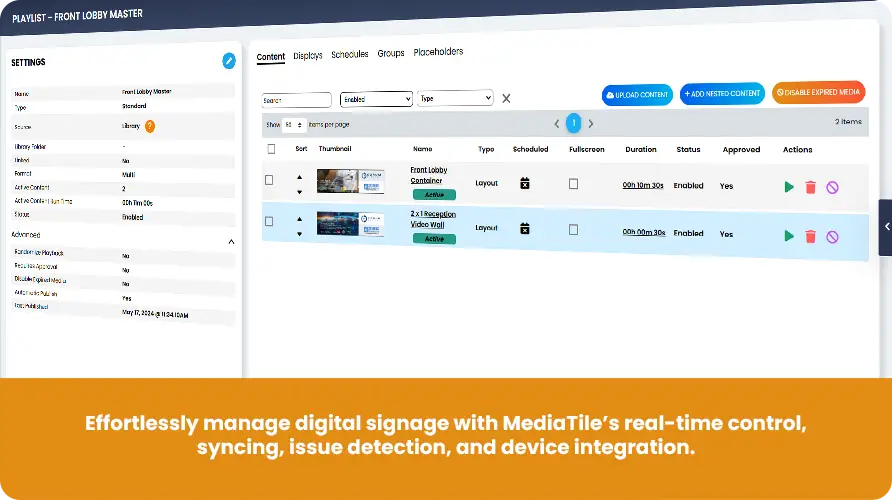
Digital signs can be tricky to keep track of, especially if you've got a bunch of them. That's where our tools come in handy. We've created a system that lets you watch over all your signs from one place.





Take command of your digital signage network with precision timing. MediaTile’s Real-Time Player Instructions give you the power to make instant changes and updates across your entire network.

FAQ
Player Management Questions
What can I see on the real-time dashboard?
What’s playing on each screen, how well your players are working, and whether your content is hitting the mark. You can set it up to show just the information you care about.
Can I manage players remotely?
Yes. Start, stop, or pause content on any sign from one screen, no matter where it is. You can even restart a player or update its software without leaving your desk.
Do you support video walls?
Yes. Content across a wall of screens plays in sync, and you can set up different layouts for whatever you’re showing.
How will I know if a screen goes blank?
The system watches for players with nothing to play and lets you know right away, which helps keep your screens running non-stop.
Can MediaTile control TVs and projectors too?
Yes. RS-232 and HDMI-CEC commands control the equipment your signs work with, so there’s less fiddling with different remotes and controls.
Want to See How It Works?
If you're curious about how all this could make your life easier, let's chat. We can show you how our tools work and see if they're a good fit for your digital sign setup. Just give us a shout, and we'll set up a time to walk you through it.