
Digital Wayfinding Software
Interactive maps that guide every visitor, on any screen, in their language.
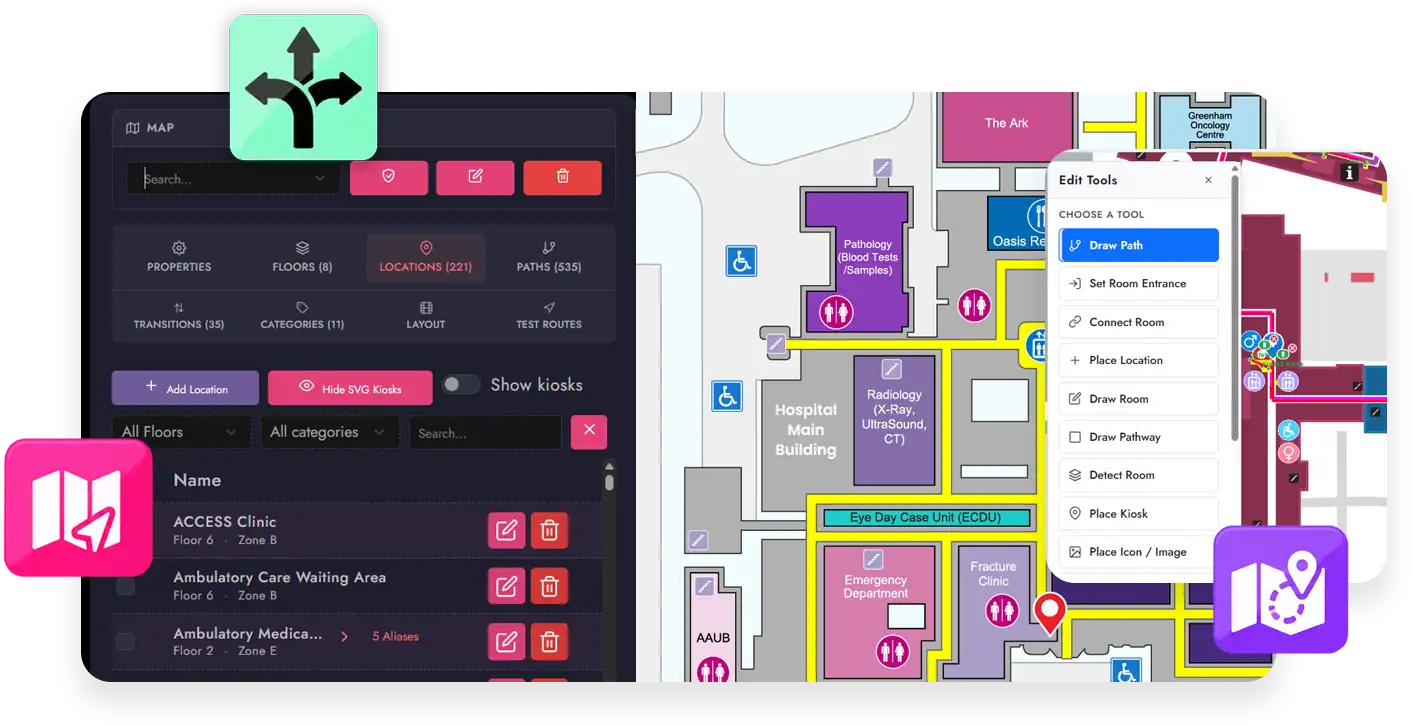
Guide every visitor through complex spaces such as hospitals, malls, schools, government facilities, office towers, and transportation hubs. Visitors search for a name and watch the route draw itself across every floor of the trip. A QR code then sends that same route to their phone. No app to install, no staff interruption, no printed directory that was wrong the day it was laminated.
One License
Wayfinding and Digital Signage on One License
MediaTile Wayfinding is not an add on you buy on top of a content management subscription. A MediaTile Wayfinding license carries the complete MediaTile Enterprise platform alongside your maps. As a result, one subscription runs your wayfinding and your digital signage.
That matters in practice as well as on the invoice. When your kiosks are not giving directions, the same screens run your signage content. The hardware earns its place all day rather than standing idle between visitors.
Interactive Wayfinding Software Used by Leading Institutions Globally

Digital Wayfinding Software Features
Everything below is standard. No modules, no add ons, no professional services engagement to turn a feature on.
Interactive Maps
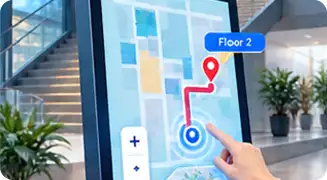
High resolution floor plans your visitors can pan, zoom, and tap directly. Every room, department, amenity, and person is searchable. The map also shows where the visitor is standing relative to where they want to go.
Instant Search That Understands Your Building
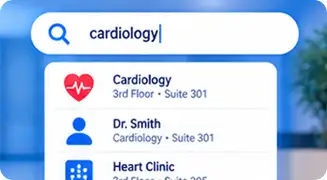
Visitors search by whatever they call it. One office can answer to many names. So four doctors sharing a suite are each searchable on their own, and all lead to the same door. Extra keywords mean "coffee" finds the cafe and "x ray" finds Diagnostic Imaging, even when nobody named it that.
Animated Route Drawing
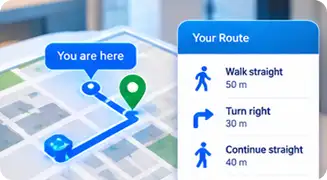
The path draws itself from "You are here" to the destination at walking pace. The eye follows the line instead of arriving at a finished squiggle. Turn by turn steps sit alongside it with real distances in metric or imperial.
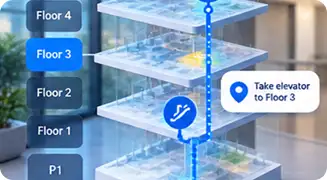
True Multi Floor Navigation
Elevators, stairs, escalators, and ramps are handled automatically. The map changes floors as the route does, with a clear banner at each handover. Meanwhile a floor strip lets the visitor tap back to any leg of the trip.
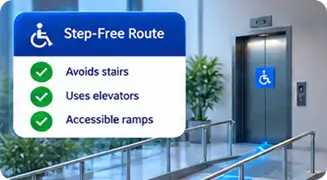
Accessible, Step Free Routing
A wheelchair friendly route option avoids stairs and escalators. It sends visitors to elevators and ramps instead, using only the transitions you have marked accessible. Visitors switch it on themselves at the kiosk, without asking staff. Accessible routes are stored ahead of time, so the option works even with the network down.
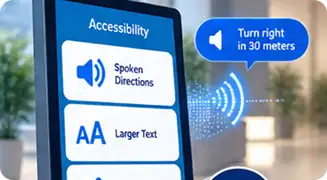
Accessibility Visitors Control Themselves
MediaTile Wayfinding conforms to WCAG 2.2 Level AA. A kiosk is a locked device, so the screen has to meet visitors where they are. Spoken turn by turn directions play through the kiosk speakers. Text also enlarges with a single tap, and step free routing switches on without staff help. Your team sets baseline text size, label size, and contrast per location.

Multi Language Support
Turn by turn directions come in 16 built in languages. The list covers Spanish, French, Simplified and Traditional Chinese, Arabic, Hindi, Vietnamese, and Tagalog. Room names, categories, and floor names translate too, not just the buttons. Arabic flips the interface right to left.
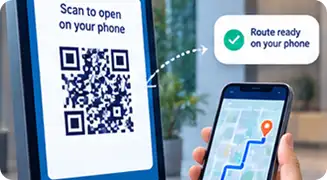
QR Handoff to Any Phone
Visitors scan the code on the kiosk and the map opens on their phone with the route already drawn. No app, no download, no account. The mobile page carries the same search, the same floors, and the same accessible routing.
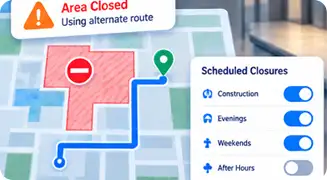
Scheduled Closures and Dynamic Routing
Close a corridor, door, or entire wing for construction and put the closure on a schedule. MediaTile routes visitors around it automatically for exactly as long as it lasts, then restores the path on its own. The same control handles recurring evening, weekend, and overnight closures.
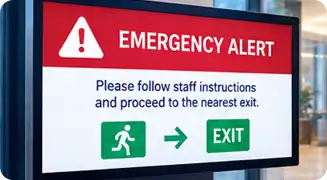
Emergency Messaging
Because your wayfinding license includes the full MediaTile platform, your wayfinding kiosks are also signage screens. Integration with CAP 2.0 emergency messaging lets you take over every display in the building at once.
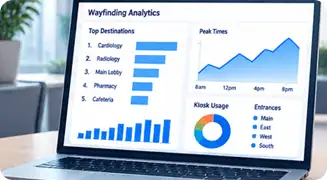
Wayfinding Analytics
See your most requested destinations, which kiosks earn their place, and when demand peaks through the day. Filter by kiosk or by destination to answer real questions, such as which entrance sends people to Cardiology. Then export the data as CSV.
For Your Team
Change the Map, Not the Artwork
Import the floor plans you already have. MediaTile reads rooms, corridors, and labels straight out of the SVG and builds the routing network for you. So a plan goes from upload to routable in one step.
After that, everything happens in your browser. No CAD seat, no vendor ticket, no waiting on a quote to move a door.
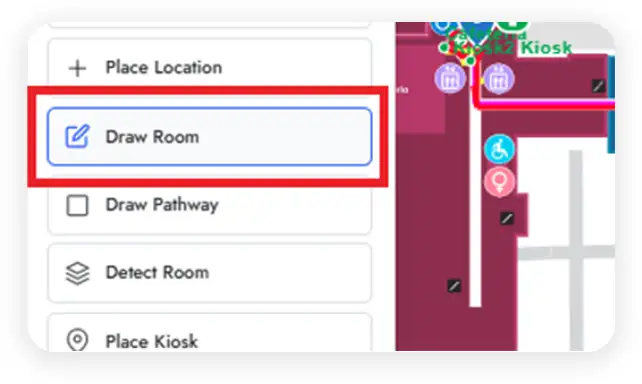
Draw New Rooms
Draw a new room freehand when a tenant moves in or a wall goes up. Then click where the door is, and it is searchable and routable straight away.
The routing network stitches the new space into the corridors around it as you draw. So the first visitor who searches for it gets a complete route, not a dead end. A room that opened this morning can be on every kiosk before lunch.
Rename and Recolor
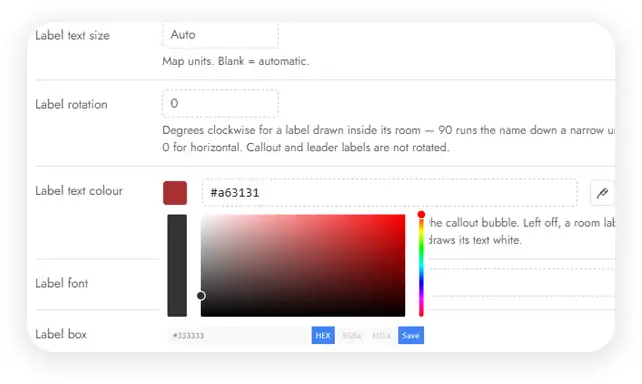
Rename, recolor, and relabel any room from the admin. The original floor plan is never touched.
The artwork your architect delivered stays exactly as it was, while the map your visitors see keeps pace with reality. Resize a label, or rotate it to run down a narrow corridor. When a room is too tight to hold its own name, switch it to a callout bubble.
Tenant Logos
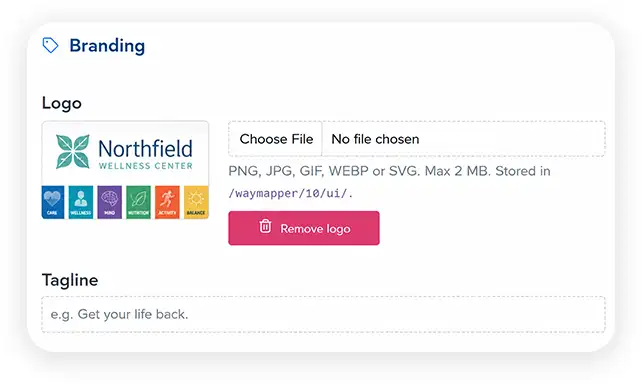
Place a tenant's logo on their space and swap it when the tenant changes.
Add a tagline underneath and the unit reads like a storefront instead of a numbered box. That is the difference between a shopper spotting the brand they came for and walking straight past it. Lease turns over on Friday, the map turns over on Friday.
Bulk Import
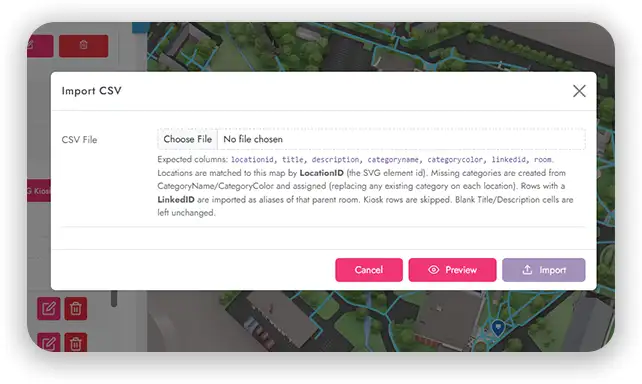
Import hundreds of locations from a spreadsheet. A preview pass shows exactly what will change before anything is applied.
Rows match to the map by location ID, and missing categories are created for you. In addition, repeat rows land as searchable aliases on the room they belong to. A departmental reshuffle becomes one file rather than an afternoon of clicking.
Brand Every Screen
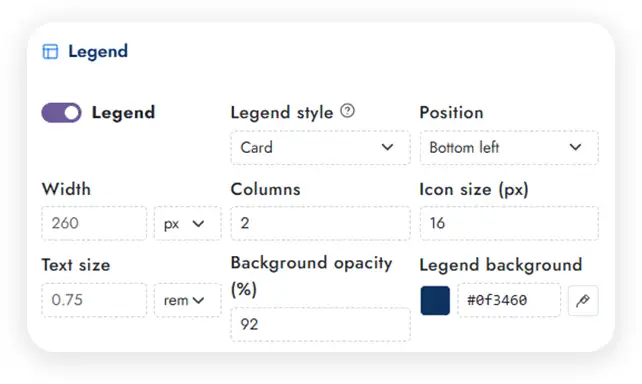
Brand every visitor facing element: colors, fonts, logos, backgrounds, sidebar, legend, floor picker, and QR panel.
Live preview shows each change as you make it, and ready made layout presets give you a finished starting point. Your kiosks carry your identity without a design engagement, and a second building can inherit the same look in minutes.
Nothing Reaches a Screen Until You Publish
Publishing is a decision, not a side effect of saving. Your maps go live when you say so, after a check that catches the mistakes visitors would find first. In addition, every version stays on the shelf in case you want it back.
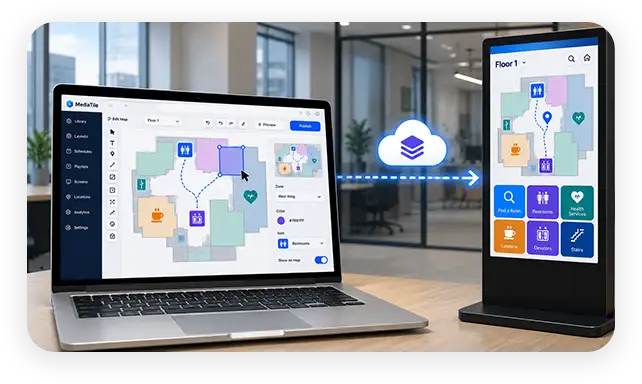
Draft in Private
The editor and the screens are separate.
Editing a live map should not mean the next sync ships whatever state it was in. In MediaTile the editor and the screens are separate. You can spend a week moving labels and redrawing a wing. Your kiosks keep showing the last published version until you decide otherwise.
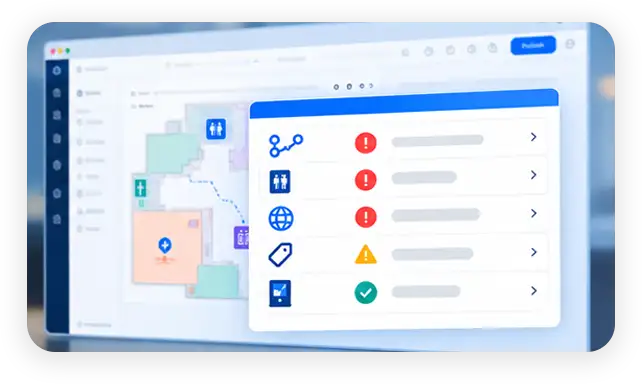
Readiness Audit
One click, before anything ships.
Before you publish, a readiness audit checks the things that embarrass you in front of visitors. It flags destinations nothing can route to and rooms no path touches. It also catches untranslated text, categories missing an icon, and floors with no "You are here" kiosk.
Versioned Rollback
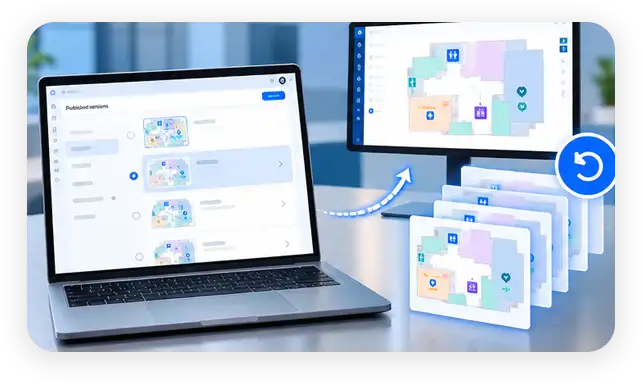
Every publish is numbered and kept.
Every published version is numbered and kept. If a change was wrong, roll back to any earlier version. The map renders exactly as it did then, on every screen, with nothing rebuilt by hand.
Wayfinding That Works When the Network Does Not
Kiosks live in lobbies, not data centers. MediaTile Wayfinding keeps giving directions through the outages that take other systems dark. Then it catches itself up the moment the connection returns.
The Whole Map, On the Kiosk
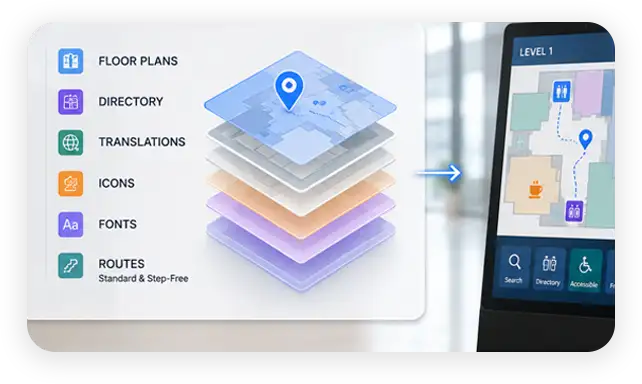
Floor plans, directory, and routes stored locally.
Each map packages into a self contained bundle that lives on the kiosk. Inside are the floor plans, directory, translations, icons, and fonts. Routes for standard and step free modes travel with them. A router reboot, an ISP outage, or a cut fiber line does not stop your visitors getting directions.
Publish Once, Every Screen
Sync moves only what actually changed.
Updates sync only what changed, and publishing rebuilds and redistributes automatically. Update the map once and every screen picks it up. MediaTile Wayfinding runs on commercial signage players and kiosk hardware, including lightweight embedded devices. So it works with the screens you already own.
Get a Custom Digital Wayfinding Solution
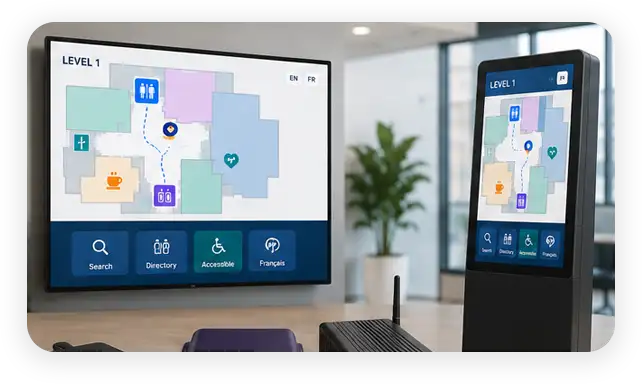
Interactive wayfinding lets visitors tap a listing, or the map itself, to get the easiest route. QR code technology then lets them take that route with them, so they do not get lost along the way.
Tell us about your building, and we will show you your own floor plan running in MediaTile.
Digital Wayfinding Across Various Industries
Interactive wayfinding earns its place wherever a building is bigger than a single glance. These are the spaces MediaTile already runs in, and the one thing each of them asks of a map.
Healthcare Wayfinding
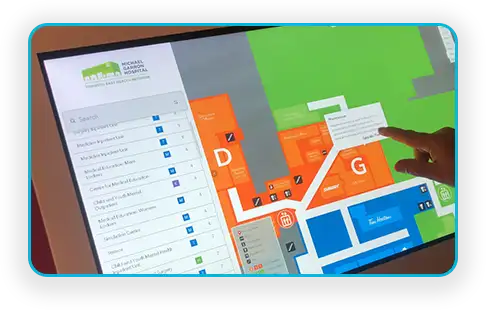
Hospitals, clinics, and medical centers use interactive wayfinding to help patients, visitors, and staff navigate sprawling facilities. Step free routing gives patients on crutches or in wheelchairs a route they can take, and a search finds any physician by name.
Public Spaces
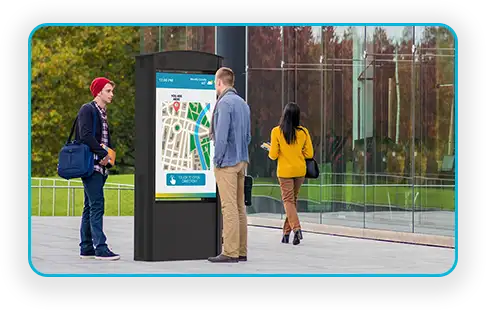
Libraries, museums, and civic buildings guide visitors to exhibits, meeting rooms, and services. A tappable legend routes to the nearest washroom, exit, or elevator in one touch. So the visitor never needs to know what the space is called.
Education
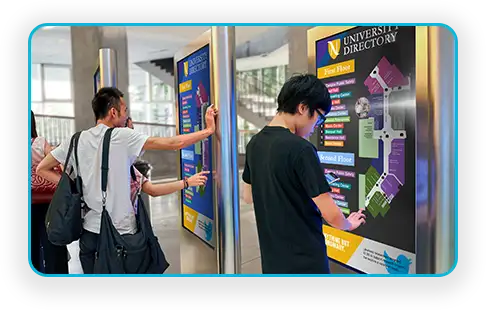
Universities, colleges, and schools help students, faculty, and visitors find classrooms, offices, and event spaces across campuses of many buildings. Draw new rooms and reassign departments yourself as timetables and tenancies shift between terms.
Retail Wayfinding
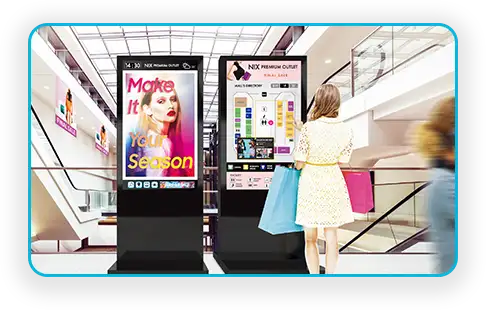
Shopping malls and large retail complexes help customers find stores, services, and promotions. Place a tenant's logo directly on their unit and swap it the day the lease changes. In addition, destination analytics show leasing teams which units draw the most foot traffic.
Transportation
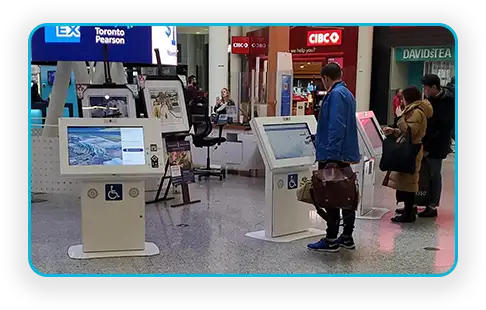
Airports, transit stations, and terminals guide travelers to gates, ticketing, and essential services. Toronto Pearson Airport runs MediaTile interactive kiosks across both terminals. Travelers get flights, wait times, maps, and ground transportation in multiple languages.
Corporate Campuses
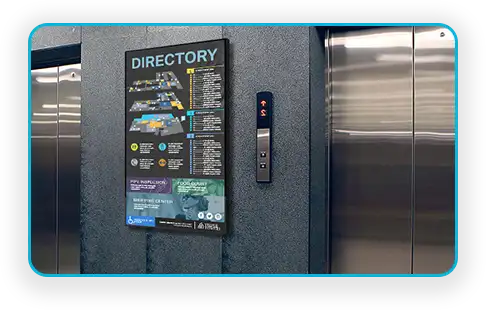
Office towers and corporate campuses help employees and visitors find meeting rooms, amenities, and departments. Schedule closures for renovations and floor moves in advance and let routes adjust themselves for the duration.
FAQ
Digital Wayfinding: Common Questions
What is digital wayfinding software?
Digital wayfinding software turns a building's floor plans into interactive maps. Visitors use those maps to find a destination and follow a route to it. Instead of a static directory board, they search for a room, person, or amenity on a touch kiosk. The path is drawn across every floor of the trip, and they can send that route to their phone. Meanwhile staff update rooms, tenants, and closures from a browser rather than reprinting signage. For the wider discipline, read our guide to what wayfinding is and how it works.
Do I need my building's floor plans redrawn?
No. MediaTile imports the SVG floor plans you already have. It reads rooms, corridors, and labels directly from the artwork, so the routing network is built automatically. If something is missing, you draw it on the map in your browser.
Can I update routes when our layout changes?
You can, and without touching the original artwork. Draw a new room, move a door, or close a corridor from the admin. Closures can be scheduled for a date range during construction. They can also run on a recurring weekly pattern for evenings and weekends. Either way, routes adjust automatically for as long as the closure lasts.
Is it accessible for visitors with mobility or vision needs?
Yes. MediaTile Wayfinding conforms to WCAG 2.2 Level AA, and the controls belong to the visitor rather than to staff. It offers step free routing that avoids stairs and escalators. Instead it sends visitors to elevators and ramps, using only the transitions you have marked accessible.
Turn by turn directions are also spoken aloud through the kiosk speakers. Visitors can enlarge the interface text with a single tap. All three are switched on by the visitor at the kiosk. That matters on a locked device, because nobody can attach their own assistive technology. The map also pinches and zooms freely, so your team sets baseline text size, label size, and contrast per location.
What languages does it support?
Sixteen languages of turn by turn directions are built in. The list includes Spanish, French, German, Simplified and Traditional Chinese, Japanese, Korean, Arabic, Hindi, Vietnamese, and Tagalog. Room names, descriptions, and categories translate as well as the interface, and Arabic renders right to left. Visitors switch language on the kiosk, or you fix one language per screen.
Does it keep working if our network goes down?
It does. Each kiosk runs from a self contained package. That package holds the floor plans, directory, translations, and precomputed routes, including accessible ones. So visitors keep getting directions through an outage. Live analytics and QR code generation are the exceptions, because they need the server connection.
Can visitors use it on their own phones?
They can. Scanning the QR code on a kiosk opens the map on the visitor's phone, with the route already drawn. It is a web page, so there is no app to install and no account to create.
What does it run on?
Touch kiosks and wayfinding pillars, commercial digital signage players, any modern phone browser, and any desktop browser. Lightweight embedded devices are included. A live map can also be dropped into a signage layout alongside video and playlists.
Ready to Chart a New Course in Navigation?
Your visitors should not have to ask. With MediaTile digital wayfinding they search a name, follow a line, and take the route with them.
Tell us about your building and we will show you your own floor plan running on a MediaTile kiosk.